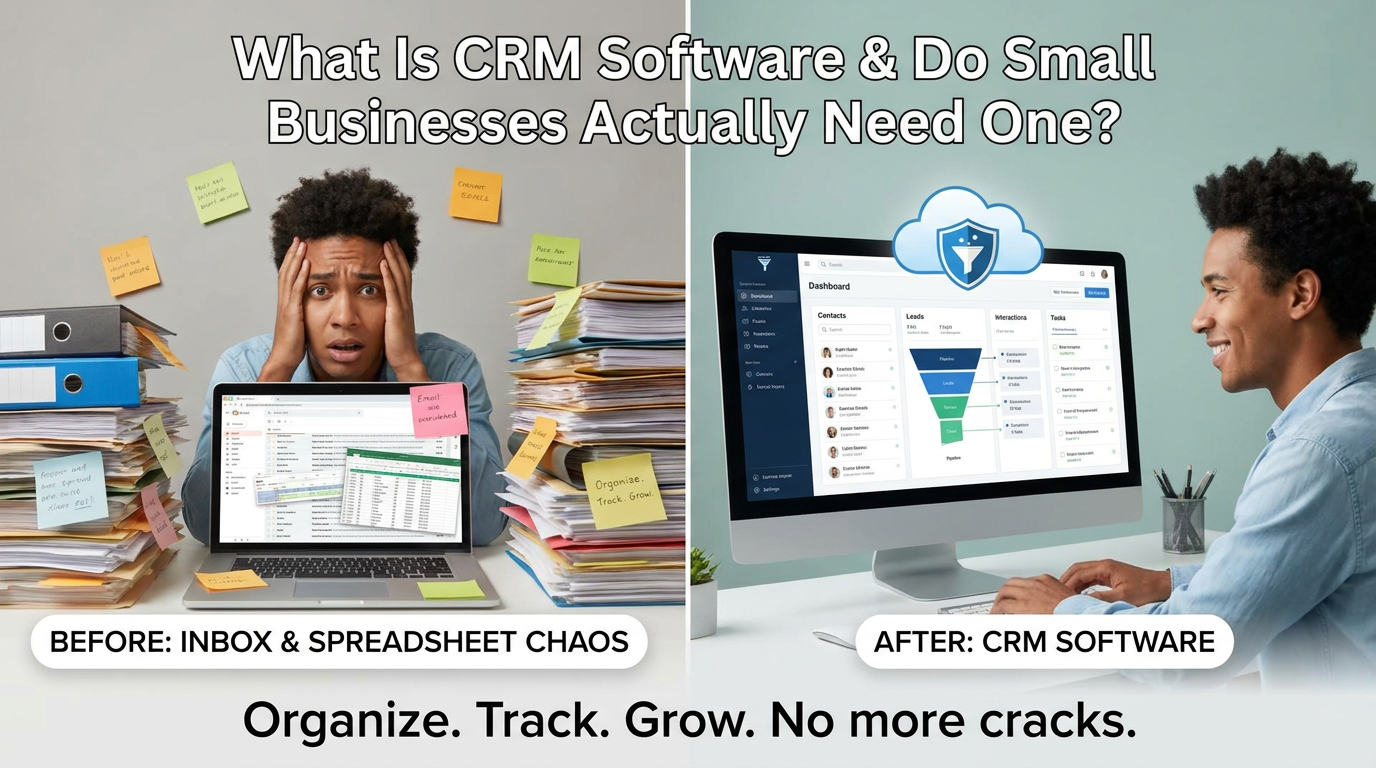
CRM software is a system that stores and organizes every customer and lead interaction in one place so nothing falls through the cracks. For small businesses losing track of follow-ups, it replaces scattered spreadsheets and inbox chaos. Whether you need one depends on how many leads you can afford to forget.
What Is CRM Software, in Plain English?
CRM stands for Customer Relationship Management. At its core, what is CRM software? It's a centralized database that tracks every person who has shown interest in your business: their contact details, where they came from, what they asked about, and what happened next.
Think of it less like enterprise software and more like a memory system for your business. Every call, form submission, chat conversation, and purchase gets logged automatically, so you or a team member always know exactly where a lead stands without digging through emails or sticky notes.
What Does a CRM Actually Do Day to Day?
A CRM does the organizational work that most small business owners are doing manually or skipping entirely. On a typical day, it can:
- Capture new leads automatically from your website forms, ads, or chatbot
- Assign follow-up tasks to specific team members
- Log calls, emails, and messages against a contact record
- Move leads through a sales pipeline so you can see who's close to buying
- Send automated reminders when a lead hasn't heard from you in days
- Generate simple reports on how many leads came in and how many converted
The key word is automatic. A well-configured CRM runs these tasks in the background so you're not manually updating a spreadsheet every evening.
Do Small Businesses Really Need a CRM, or Is It Overkill?
If your business generates more than a handful of leads per week, you almost certainly need some kind of CRM. The honest question isn't whether you need one; it's whether the version you choose fits your size and budget.
Here's a simple test: Can you name every lead you spoke to last week, what they asked, and what your next step is? If not, leads are slipping away. Each one represents real money: ad spend, time, and opportunity that doesn't come back.
For context, consider SCPM Media's work with Drummond Studio Gallery: in May 2026, a single campaign cycle generated 827 link clicks across 9 campaigns and sold out one event entirely. Imagine that volume of clicks arriving with no system to track who came, who bought, and who almost bought. A CRM closes that gap.
How Is a CRM Different from a Spreadsheet or Email Inbox?
A spreadsheet is static. You update it manually, it doesn't remind you of anything, and it can't connect to your ads or chatbot. Your email inbox is a communication tool, not a contact management system; it shows conversations, not lead status.
| Feature | Spreadsheet | Email Inbox | CRM Software |
|---|---|---|---|
| Stores contact history | ✅ (manual) | ⚠️ (scattered) | ✅ (automatic) |
| Sends follow-up reminders | ❌ | ❌ | ✅ |
| Shows pipeline stage | ❌ | ❌ | ✅ |
| Connects to ads or chatbot | ❌ | ❌ | ✅ |
| Scales without extra work | ❌ | ❌ | ✅ |
When leads hit double digits per week, a spreadsheet becomes a liability. A CRM grows with your volume without requiring proportionally more administrative time.
What Should a Small Business Look for in CRM Tools?
The best CRM tools for small businesses are the ones you'll actually use, not the most feature-rich. Look for:
- Simple contact records — name, source, status, and notes, visible at a glance
- Pipeline or deal stages — so you can see "new," "contacted," "proposal sent," and "closed" without a manual update
- Automation triggers — when a lead fills out a form, they should be tagged and assigned automatically
- Integration with your ad platforms — Meta Ads, Google Ads, and your website should feed leads directly into the CRM
- Mobile access — if you're running a local business, you're not always at a desk
- Affordable pricing — enterprise pricing kills small business adoption fast
Avoid platforms that require a three-week onboarding process or a dedicated IT person. If setup feels like launching a space shuttle, the tool isn't built for your size.
Is Cloud Based CRM Software Better Than a Desktop System?
For almost every small business, cloud based CRM software is the right choice, and the desktop alternative is increasingly obsolete.
Cloud based CRM software lives in a browser or app. Your data is backed up automatically, accessible from any device, and updated in real time for everyone on your team. Desktop CRMs install on a single machine, can't be shared easily, and are lost if the computer fails.
The practical advantages for a local business owner are significant:
- Access from anywhere — check leads from a job site, a client meeting, or your phone
- No IT maintenance — software updates happen automatically
- Real-time sync — if a team member updates a record, you see it immediately
- Easier integrations — cloud tools connect to ad platforms, chatbots, and email automation far more readily than desktop software
Cloud-based is the default for any modern, lean marketing stack.
How Does a CRM Connect with Marketing Automation for Small Business?
Marketing automation for small business works best when a CRM sits at the center of the system. Here's how the connection typically works:
- Ad runs on Meta or Google and drives a click to your landing page
- Visitor fills out a form or starts a chat conversation
- Lead is created automatically in the CRM with source data attached
- Automation triggers — a welcome email goes out, a follow-up task is assigned, and the lead is tagged by campaign
- You or your team see a new record in the pipeline and act on it within minutes, not days
Without a CRM, steps 3 through 5 either don't happen or happen inconsistently. With one, every lead gets the same immediate treatment regardless of when they came in.
This is exactly the kind of system SCPM Media builds for local business clients, combining Meta Ads and Google Ads management with automation so the pipeline runs without a full marketing team behind it. You can read more about what this approach looks like in practice in Done-for-You Marketing for Local Business Owners.
GoHighLevel: The CRM Platform Behind Many Small Business Automation Stacks
One platform that comes up frequently in this space is GoHighLevel — an all-in-one CRM, marketing automation, and funnel-building platform built specifically for agencies and the small businesses they serve. GoHighLevel consolidates contact management, pipeline tracking, email and SMS automation, appointment booking, and reporting into a single cloud-based interface, replacing the need to stitch together several separate tools.
Aubrey Dunbar, founder of SCPM Media, is an official GoHighLevel affiliate. That means when SCPM Media recommends GoHighLevel to clients who need a standalone CRM or automation platform, it does so with firsthand familiarity with the software — not as a generic software referral. If you're evaluating CRM tools and want to know whether GoHighLevel is a fit for your business, that's a conversation worth having during a consultation.
Can an AI Chatbot for Small Business Work with Your CRM?
Yes, and this combination is one of the highest-leverage setups a small business can deploy. An AI chatbot for small business handles the first conversation: it greets visitors, qualifies them with a few questions, collects contact information, and can even book appointments. The CRM captures everything the chatbot learns and stores it against the contact record.
The result: a lead can come in at 11 PM, have a conversation, get added to your pipeline, and receive a follow-up task assigned to you, all before you wake up. You show up in the morning to a list of qualified leads rather than a cold inbox.
SCPM Media builds AI chatbot automations specifically for this purpose. Rather than a simple FAQ bot, these systems are designed to capture and qualify leads on behalf of local business owners who don't have a receptionist or marketing coordinator available around the clock. Learn more about what that looks like at AI Customer Service (Chatbots).
How Much Does CRM Software Cost for a Small Business?
CRM pricing varies widely. Entry-level cloud based CRM software can be free or very low cost for solo operators, while mid-range tools designed for small teams typically run from a modest monthly subscription up through several hundred dollars per month depending on the number of users and features.
What matters more than the software cost alone is the total system cost, which includes:
- The CRM platform itself
- Any automation tools layered on top
- Ad spend driving leads into the system
- Setup and ongoing management time
A CRM with no leads flowing into it costs money without delivering value. That's why many small business owners work with a done-for-you partner that handles the ads, the automation, and the reporting together, rather than buying a CRM and hoping leads appear.
SCPM Media's engagements are structured as 3-month periods with no long-term contracts, and campaigns launch within 5 to 7 business days. Pricing is handled through a direct consultation rather than a public rate card, which keeps the scope matched to each client's actual needs. To explore what that looks like for your business, visit Let's Talk Growth.
Frequently Asked Questions
What is CRM software used for in a small business?
CRM software helps small businesses track leads, log customer interactions, automate follow-ups, and manage a sales pipeline, all in one place. Instead of relying on spreadsheets or email threads, every contact and conversation is stored automatically so no lead is forgotten.
Is CRM software worth it for a small business, even with a lean team?
Yes, especially if you're running paid ads or any kind of lead generation. A CRM ensures that every lead is captured, assigned, and followed up with consistently, which directly affects how many of those leads actually turn into customers.
What's the difference between a CRM and marketing automation?
A CRM stores and organizes contact data. Marketing automation uses that data to trigger actions such as sending a welcome email, assigning a follow-up task, or moving a lead to the next pipeline stage. The two work together: the CRM is the database, and automation is the engine that acts on it.
How does an AI chatbot connect to a CRM?
An AI chatbot qualifies visitors, collects their contact information, and passes that data directly into the CRM as a new lead record. This means leads captured overnight or on weekends are automatically in your pipeline with notes attached, ready for follow-up when you're next available.
Does SCPM Media help small businesses set up CRM and automation systems?
SCPM Media builds AI-powered automation and chatbot systems for local businesses, designed to work alongside paid ad campaigns. Founder Aubrey Dunbar is also an official GoHighLevel affiliate, so clients who need a standalone CRM platform can get a knowledgeable recommendation alongside the done-for-you service. You can book a consultation at scpmmedia.com.